Where Should You List Your Assisted Living Community Online?
Families see your community in more places than your team manages. Here's how to decide where to list, what to fix first, and where to pay.
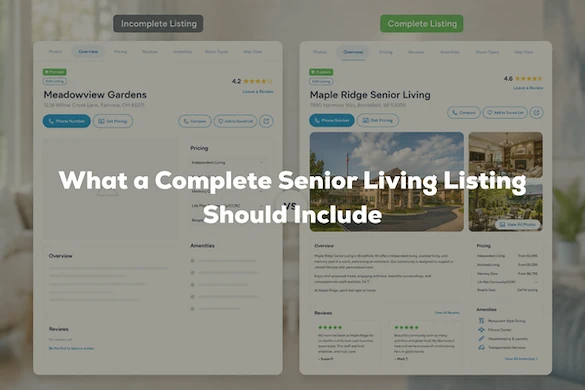
Families compare your listing with the one next to it.

Search your community's city and care type as a family would, and count the sites that show a listing for you. Then count how many of those listings your team keeps up to date. If the second number is smaller, families are reading descriptions of your community that nobody on your team has checked.
Where do families find senior living communities online?
Families find communities in a handful of places: Google search and Maps, senior living directories, review sites, AI assistants, and your own website. Many families see you in more than one of these places before they call. Your job is to be accurate wherever you're listed and to stand out where families in your market search most.
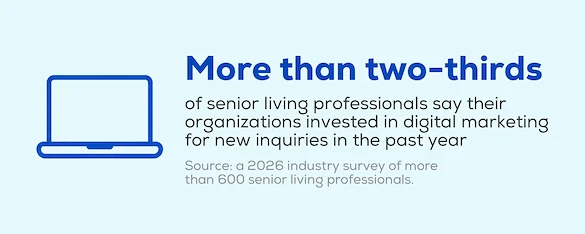
Other operators are already putting money here. In a 2026 industry survey of more than 600 senior living professionals, 68% said their organizations had invested in digital marketing for new inquiries in the past year.
Getting your facts right, though, is mostly free. On most sites, including Senior Care Finder, you can claim and update a listing at no cost. Paying to promote it only makes sense once the facts are right.
Curious how Senior Care Finder decides which communities families see first?
What happens when we don't manage our listings?

Someone else's version of your community becomes the one families read. An unclaimed listing can carry old photos, a care level you no longer offer, or a phone number that rings somewhere else.
A family comparing you with your competition often sees both listings side by side. If your competitor's listing is complete and current and yours isn't, that competitor looks like the better choice.
Wrong facts also travel. AI assistants and other sites often draw on the same listings, so one wrong care level can turn up in places your team never touched.
How do we decide where to list and where to pay?
Start with where families find you, fix the facts everywhere, and decide where to pay last. Most of the audit takes one person about an hour per community.
Your listing audit
About an hour per community
1. Pull the lead source for your last 20 inquiries from your CRM. Where it's blank, ask the family how they found you, and write down every answer, including "I don't remember."
2. Search your market like a family: your city plus "assisted living," "memory care," and your other care types. List every site that shows your community or a competitor on the first two pages.
3. Mark each listing as claimed or unclaimed. Note any with an outdated care level or phone number, or old photos.
4. Claim any free listings you haven't yet, then update each one: care levels first, then photos, phone numbers, and descriptions.
5. For any site you're thinking about paying, ask the four questions below.
6. Decide where to pay based on where families in your market search and what each site lets you track. The site a family names is often just the last one they visited.
Four questions to ask before you pay any site
Does the inquiry come straight to us? You want the family's call or message in your own hands, the moment they send it.
Can we track what comes from your site? If a call or click can't be traced back to the site, you can't tell whether the listing is paying off.
What does it cost, and does the price change with results? Before you sign, know whether you're paying a set price, a fee per lead, or a fee per move-in.
What do we get besides a spot in the results? Ask who writes your listing, who keeps it current, and who you call when something's wrong.
Where does Senior Care Finder fit?
Every provider is listed and findable on Senior Care Finder, whether they pay or not. Claiming your listing is free, but it's only the first step. Update it with current photos, care levels, and a full description, so families see your community as it is today. More families are looking, too: inquiries through Senior Care Finder just hit an all-time high.
A Premium listing is for when being findable isn't enough. Premium listings show up at the top of search results, and a Premium listing puts your community in rotation for those top spots. That's high-intent exposure: families actively searching for your kind of care in your area.
Premium also has answers for the four questions above:
What Premium covers




Straight to you. Families contact your community directly. Senior Care Finder is never paid per lead or per move-in.
Trackable. Your page gets a tracked call button. The link to your website carries a tracking code, so those visits show up in your own analytics.
One price. A Premium listing is one price for the year. There's no fee per inquiry and nothing to pay when a family moves in.
Kept current. Our team writes your description and FAQ, and keeps your page up to date.
Frequently asked questions
No. Every listing is a set of facts someone has to keep current. Claim and update the free listings families are likely to see, and keep them accurate. Put your budget where families in your market search and where you can track the results.
Claim it, then update it. Most directories, including Senior Care Finder, let you claim and update an existing listing for free. Leaving it alone doesn't remove it. It just means someone else's version of your community is the one families read.
Every quarter, and right away after anything changes: a new care level, a renovation, a new phone number, or a new executive director. Make it a recurring calendar item, so it doesn't depend on someone remembering.
A claimed listing is free, and it lets you update the details families read. Claimed and verified mean the same thing. A Premium listing is paid. It puts your community in rotation for the top spots in search results, and our team writes and maintains your page. Claiming changes what families read. Premium changes where they see you.
Find out who families see before you
On a discovery call, we'll show you what families see when they search your markets today, which competitors appear above you, and what changes with a Premium listing.